A Smarter Routine to Pay Utility Bills Online Every Month
The option to pay utility bills online has made it easier to manage electricity, water, gas, broadband, mobile and other recurring household expenses. Instead of visiting payment counters or handling cash, users can complete transactions through banking applications, payment platforms and biller websites.
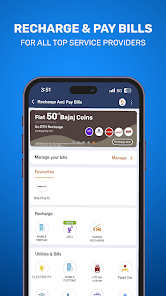
Digital bill payment can save time, but each transaction still requires careful review. Users should confirm the biller, customer number, due amount, payment method and transaction status before closing the application. An incorrect account number or an unverified payment page can cause delays and make complaint resolution more difficult.
A planned payment routine can also help users avoid late fees and service interruptions. By tracking due dates, enabling reminders and saving receipts, households can manage monthly bills with better visibility.
A upi payment method may support quick account-to-account transfers, but users should still verify the bill details and payment confirmation before treating the bill as settled.
Which Bills Can Usually Be Paid Digitally
Many household and personal services now support online payments. Availability may depend on the service provider, location and selected platform.
Common categories include:
- Electricity bills
- Water charges
- Piped gas bills
- Broadband payments
- Landline bills
- Mobile postpaid bills
- Direct-to-home television payments
- Municipal taxes
- Education fees
- Housing society charges
- Insurance premiums
- Loan instalments
Users should confirm that the platform officially supports the selected biller. A similar-looking name may belong to another service provider or region.
Some bills are fetched automatically after the customer number is entered. Others may require the user to type the payable amount manually. Manually entered amounts should be checked against the latest invoice.
Begin With the Correct Consumer Details
The accuracy of a digital bill payment depends on the information entered.
Each service provider may use a different identifier, such as a consumer number, account ID, subscriber ID, registered mobile number or connection number.
Match the Biller Name
Users should select the exact service provider shown on the physical or digital bill.
Regional electricity boards and municipal bodies may have similar names, so location details should also be reviewed.
Confirm the Account Number
The customer identifier should be entered without missing digits, added spaces or incorrect characters.
Saving a biller can reduce repeated data entry, but the saved details should be checked before future payments.
Review the Customer Name
When the platform displays the registered name, it should match the account holder or service connection.
A mismatch may indicate that the wrong number has been entered.
Choose a Payment Method That Fits the Transaction
Online bill payment platforms may support several payment options.
Users may be able to pay through:
- UPI
- Net banking
- Debit cards
- Credit cards
- Mobile wallets
- Auto-debit mandates
- Bank account instructions
The right method depends on transaction limits, fees, convenience and payment confirmation speed.
UPI Payments
UPI can support direct payment from a linked bank account. Users should confirm the UPI ID, bill amount and authorisation request before entering the PIN.
Card Payments
Debit and credit card payments may require card details and an OTP. Users should check whether convenience charges apply before proceeding.
Net Banking
Net banking redirects users to the bank’s official payment page. The website address should be verified before entering login details.
Automatic Payments
Auto-debit can reduce the risk of missed due dates, but users should maintain enough balance and monitor every scheduled deduction.
Pay Before the Final Due Date
Waiting until the final day can create unnecessary risk.
A payment may fail because of bank downtime, internet problems, transaction limits or temporary biller issues. Even when the bank account is debited, the service provider may take time to update the payment.
Paying a few days early gives users time to resolve failed or pending transactions.
A useful monthly routine may include:
- Recording each bill’s expected date
- Setting a reminder before the due date
- Reviewing the latest amount
- Paying from an official platform
- Saving the receipt
- Confirming that the biller has updated the account
Users should pay particular attention to bills linked to essential services where a delay may lead to late fees or disconnection warnings.
Read the Entire Payment Screen
A bill payment screen should show more than the total amount.
Before confirming, users should review:
- Service Provider
The selected biller must match the invoice.
Consumer Number
The account number should be checked digit by digit.
Billing Period
The month or billing cycle should be current.
Amount Payable
The amount should match the service provider’s records.
Additional Charges
Any convenience fee, tax or payment charge should be shown separately.
Payment Source
The correct bank account, card or wallet should be selected.
This review takes only a few moments and can prevent payments from being directed to the wrong account.
Understand What a Pending Transaction Means
A pending payment is not the same as a successful payment.
The bank may have started processing the transaction while the biller is still waiting for confirmation. Users should not immediately make a second payment unless the first transaction has clearly failed or been refunded.
A pending transaction may require users to:
- Wait for the stated processing period
- Check bank account activity
- Review the platform’s transaction history
- Check the biller’s official account
- Contact customer support with the reference number
Duplicate payments can be difficult to reverse and may take time to adjust against future bills.
What to Do When Money Is Debited but the Bill Remains Unpaid
A bank debit without bill confirmation can occur when communication between the bank, payment platform and biller is interrupted.
Users should first save the transaction reference and take note of the time, amount and payment source.
The next steps may include:
- Check Transaction Status
The payment history may show success, failure or pending status.
Verify With the Biller
Users can check the service provider’s website or account portal to see whether the payment has been posted.
Wait for Automatic Reversal
Failed transactions may be reversed within the timeline stated by the bank or platform.
Raise a Support Request
The complaint should include the transaction reference, biller name, amount and date.
Users should avoid sharing PINs, passwords or OTPs while seeking support.
Keep Digital Receipts Organised
A payment receipt can help prove that the transaction was completed.
Users should save:
- Payment date
- Biller name
- Consumer number
- Amount
- Transaction reference
- Bank reference
- Payment status
- Receipt or confirmation message
Receipts can be stored by month or bill category. This makes it easier to review household expenses and resolve future disputes.
Email confirmations and application histories are useful, but users should not depend on one platform to retain records permanently.
Use Auto-Pay With Regular Monitoring
Auto-pay can help users avoid forgotten bills, especially when the amount is fixed or predictable.
However, automatic payment should not mean automatic neglect.
Before enabling it, users should check:
- Maximum payment limit
- Linked bank account
- Payment date
- Mandate duration
- Cancellation process
- Failed-debit rules
- Notification settings
Variable bills should still be reviewed before deduction. A sudden increase may indicate higher usage, an added charge or a billing error.
Users should also confirm that an old mandate is cancelled after changing banks or service providers.
Protect Personal and Banking Information
Online bill payment requires users to share account and transaction information. Security should remain part of every payment.
Users should access services only through official applications or websites. Public links received through messages should not be trusted without verification.
Safe payment habits include:
- Using a secure device
- Updating banking and payment applications
- Avoiding public Wi-Fi
- Checking website addresses
- Never sharing UPI PINs
- Avoiding screen-sharing requests
- Reviewing OTP messages
- Logging out of shared devices
A legitimate service representative should not ask for a password, card PIN, complete OTP or remote access to the device.
Avoid Paying Through Unverified Offers
Discounts and cashback messages can encourage users to open unfamiliar links.
Before using an offer, users should confirm that it appears inside the official payment application or biller website.
Warning signs include:
- Requests to install unknown files
- Links with misspelled domains
- Calls asking for a payment PIN
- Refund messages requiring a transfer
- Offers that demand screen sharing
- Requests for card security details
- Claims that money must be sent to verify an account
A discount is not useful if it exposes banking information or directs payment to the wrong service.
Build a Monthly Bill Management System
A basic monthly system can make bill payments easier to monitor.
Users can divide bills into three groups:
- Fixed Bills
These may include broadband plans, subscriptions or housing charges.
Variable Bills
Electricity, water and gas payments may change each month based on usage.
Annual or Irregular Bills
Insurance premiums, municipal charges and education fees may be due less frequently.
Each group can have its own reminder schedule. Users can also maintain a monthly budget that separates essential bills from optional subscriptions.
Unused services should be cancelled rather than repeatedly paid through automatic mandates.
Review Bill Payments Alongside Other Commitments
Monthly utility bills are only one part of household financial planning.
Users should also account for rent, groceries, transport, insurance, savings and debt repayments. If essential bills regularly exceed the available budget, taking new credit may not solve the underlying cash-flow problem.
A loan calculator may help estimate a possible monthly instalment when reviewing borrowing options, but utility expenses and existing commitments should be included before deciding whether another repayment is affordable.
Conclusion
The ability to pay utility bills online can make recurring household payments easier to organise, but every transaction should be checked carefully. Users should confirm the biller, account number, amount and payment status before considering the bill settled.
Paying before the final due date, saving receipts and monitoring automatic payments can reduce late charges and duplicate transactions. Secure payment habits are equally important, particularly when using links, mobile applications and banking credentials.
A consistent monthly routine can improve bill tracking and help users maintain better control over regular household expenses.